Restaurant purchase order process, step by step
A restaurant purchase order is written, approved and matched to the invoice. Follow the process step by step, and learn what an LPO means in the UAE.
SyncOn team · 21 Oct 2026 · 3 min read
The meat delivery arrives at eleven. The driver hands over an invoice, the kitchen is busy, and someone signs it without checking. Three weeks later the accounts team finds two invoices for the same week and a price that went up without anyone agreeing to it. Nobody knows who ordered what, because the order was a phone call and a voice note. The money is already gone. A written restaurant purchase order would have prevented every part of it.
Why it matters
Purchasing is where most of a restaurant's food cost money actually leaves the business. Every recipe, every portion and every menu price depends on what you pay for the ingredients, yet in many kitchens the ordering is the least organised part of the day.
When orders are made by phone or message, there is no record of what was asked for, at what price, and by whom. Deliveries can't be checked against anything, so short weights, wrong items and price increases slip through. Invoices can't be checked against anything either, so the same goods can be paid for twice. And when the month's food cost is too high, nobody can trace it back to a decision.
A written purchase order changes this. In the UAE it is usually called an LPO, a local purchase order. It is a simple document that says what you are ordering, from which supplier, in what quantity and at what price, approved by someone with the authority to spend. Everything after it can be checked against it.
What good practice looks like
- Keep one list of approved suppliers. Each with their correct name, contact details, VAT number and documents on file. Every branch orders from the same list. Supplier management covers how to build and review it.
- Order every delivery in writing. No order, no delivery. Even a regular weekly order should exist as a document with a date and a number.
- Approve before sending. Decide who can approve orders and up to what amount. The person who orders and the person who approves should not always be the same.
- Send the order to the supplier and keep the proof. An emailed order removes any argument about what was asked for.
- Receive against the order. When the goods arrive, compare them with the order: items, quantities, weights and condition. Note any difference before signing. If something is short or damaged, write it on the delivery note in front of the driver and ask the supplier for a credit note the same day, while everyone still remembers.
- Match the invoice to the order and the delivery. Pay what was ordered and received, at the agreed price. Anything else is a question for the supplier before it is a payment. Comparing approved orders with deliveries received is also one of the restaurant KPIs worth checking every morning.
- Look at the totals by supplier. Over a month, the orders tell you where the money goes, and which supplier deserves a price conversation. Supplier prices flow straight into the food cost of every dish.
How this looks in SyncOn
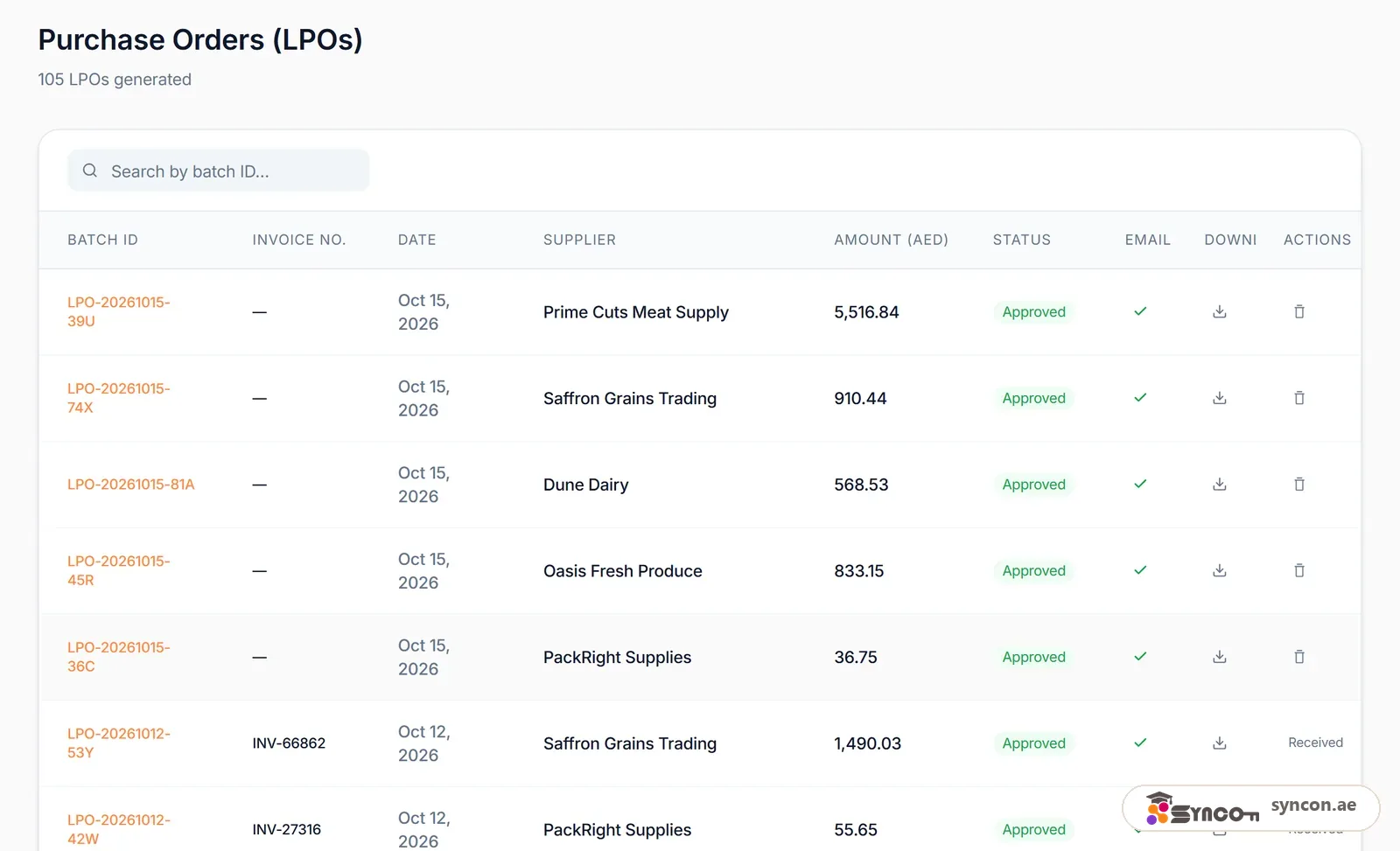
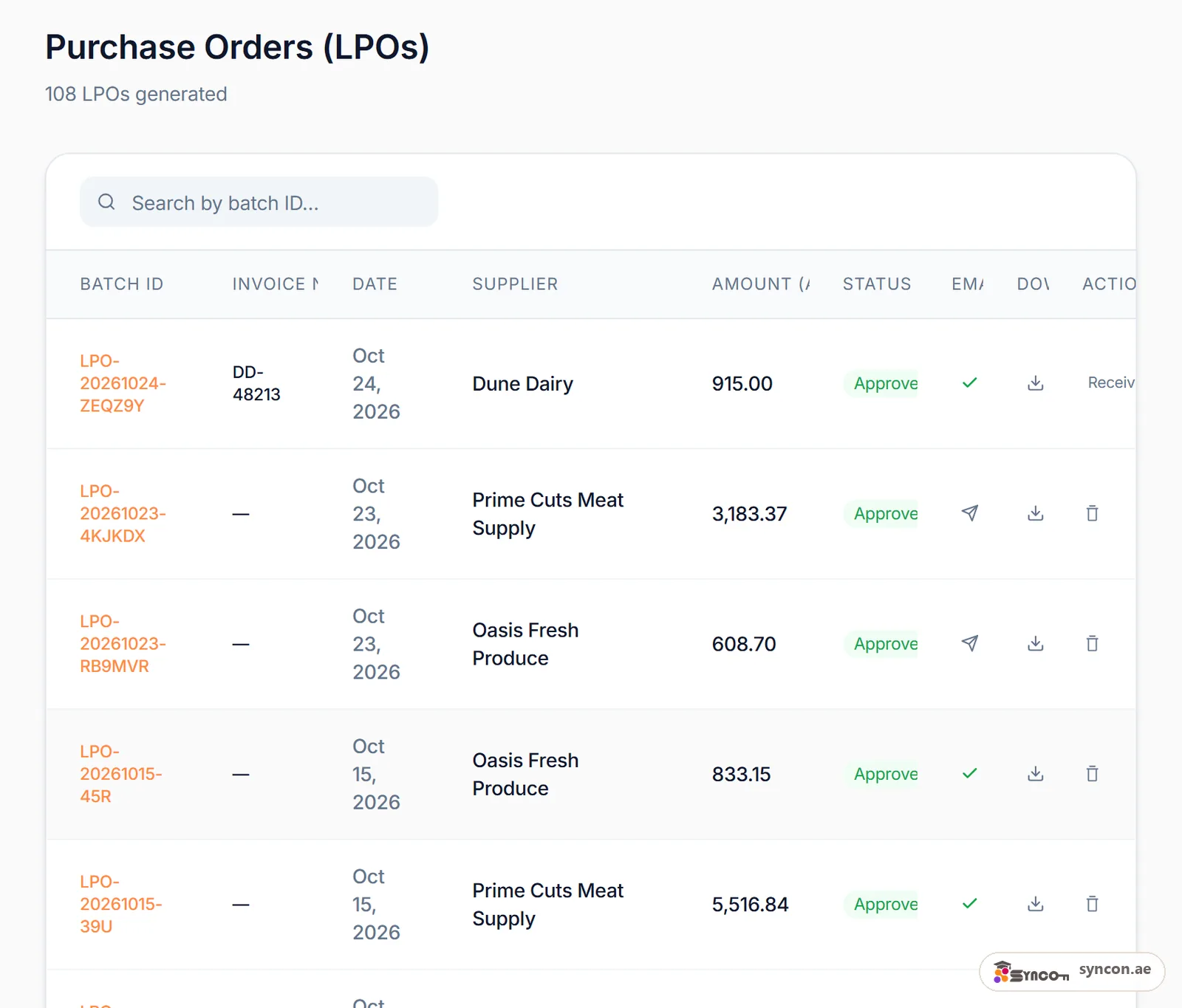
Every order to a supplier is a numbered LPO with its date, supplier, amount in AED and status. The demo kitchen has 105 of them. On 15 October it sent five orders, one to each supplier, from AED 5,516.84 to the meat supplier down to AED 36.75 for packaging. Each one shows as approved, with a tick when the order email has gone to the supplier and a button to download it. The orders from 12 October have gone one step further: each carries the supplier's invoice number and is marked as received, so the order, the delivery and the invoice are tied together on one line.
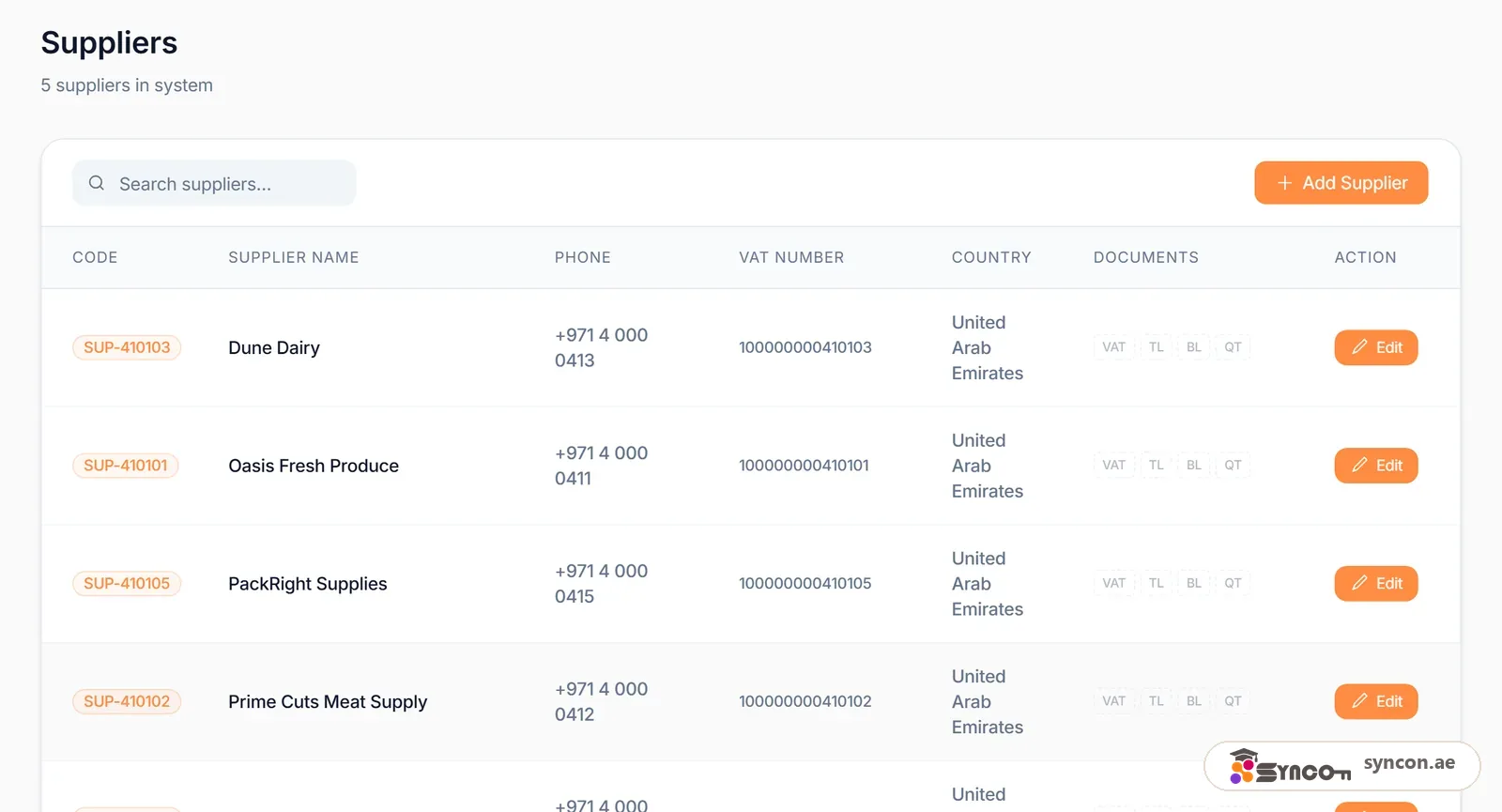
The suppliers live in one list, each with a code, phone number, VAT number, country and four document slots labelled VAT, TL, BL and QT. Every order is made out to one of these suppliers, so the details on the order always match the details on file.
Learn the full method in الشراء والنقد والرقابة.
The screens above are from
Restaurant operating systemsyncon.ae/portfolio/operating-system(opens in a new tab)