Digital recipe book for restaurants: one copy
Use a digital recipe book for restaurants to keep one current recipe per dish, train new cooks faster and see how any ingredient change moves plate cost.
SyncOn team · 31 Oct 2026 · 4 min read
A new grill cook starts on Thursday evening. The head chef is busy at the pass, so one colleague explains the Classic Beef Burger from memory, another shows a phone photo from last season, and a stained sheet by the grill lists an older cheese weight. By Friday, the burger leaves the kitchen in three sizes and the plate cost is a guess. A digital recipe book for restaurants solves this system gap by keeping one shared copy that every cook reads and only the chef updates.
In short
- Keep one shared recipe record for every dish so old paper copies cannot circulate on the line.
- Write exact weights and units for both raw ingredients and kitchen prep items.
- Recalculate plate costs the same day you change a portion or swap an ingredient.
Why one shared recipe book matters
A digital recipe book is a single shared list of every dish you serve, showing each ingredient, its exact weight or count, and the unit used on the line. Swapping a garnish or adjusting a burger build happens often, and paper folders never keep up across shifts.
When recipes live in notebooks and chat groups, portions drift one cook at a time. Nobody can say which version is right, and nobody can state the true plate cost. If your team already writes standardized recipes, putting them into one shared book is the practical next step so every kitchen station works from the same numbers.
How to run one recipe book in your kitchen
You can set up the rules of a single recipe book on paper first, and the same habits carry over to a screen.
Assign one owner for edits. Give the head chef or kitchen manager sole responsibility for changing recipes, while line cooks have read-only access. When two managers edit the same dish separately, different versions appear on the line within a week.
Lock the dish name and menu SKU code before you edit the ingredients inside it. Keeping the name and code fixed means the menu, the training sheet and the cost record always point to the same plate even when the garnish changes.
Write a number and a unit on every line, and separate raw goods from kitchen prep. "Some onion" cannot be trained or costed, whereas 20 g of onion can. If a burger uses a patty mixed in-house, list that patty as a prep item with its own batch recipe so cooks and cost checks follow both levels. Fixed weights are the foundation of portion control in restaurants.
Train from the book and update it the day a dish changes. When a new cook joins, have them read the recipe and weigh the dish on the scale while the chef watches. When you change a portion or an ingredient, update the shared recipe that same day and check what the change does to the plate cost before service. For the math behind each line, see our guide to recipe costing.
How this looks in SyncOn
The Edit Recipe screen shows one dish open for editing with its locked identity and every ingredient row weighed.
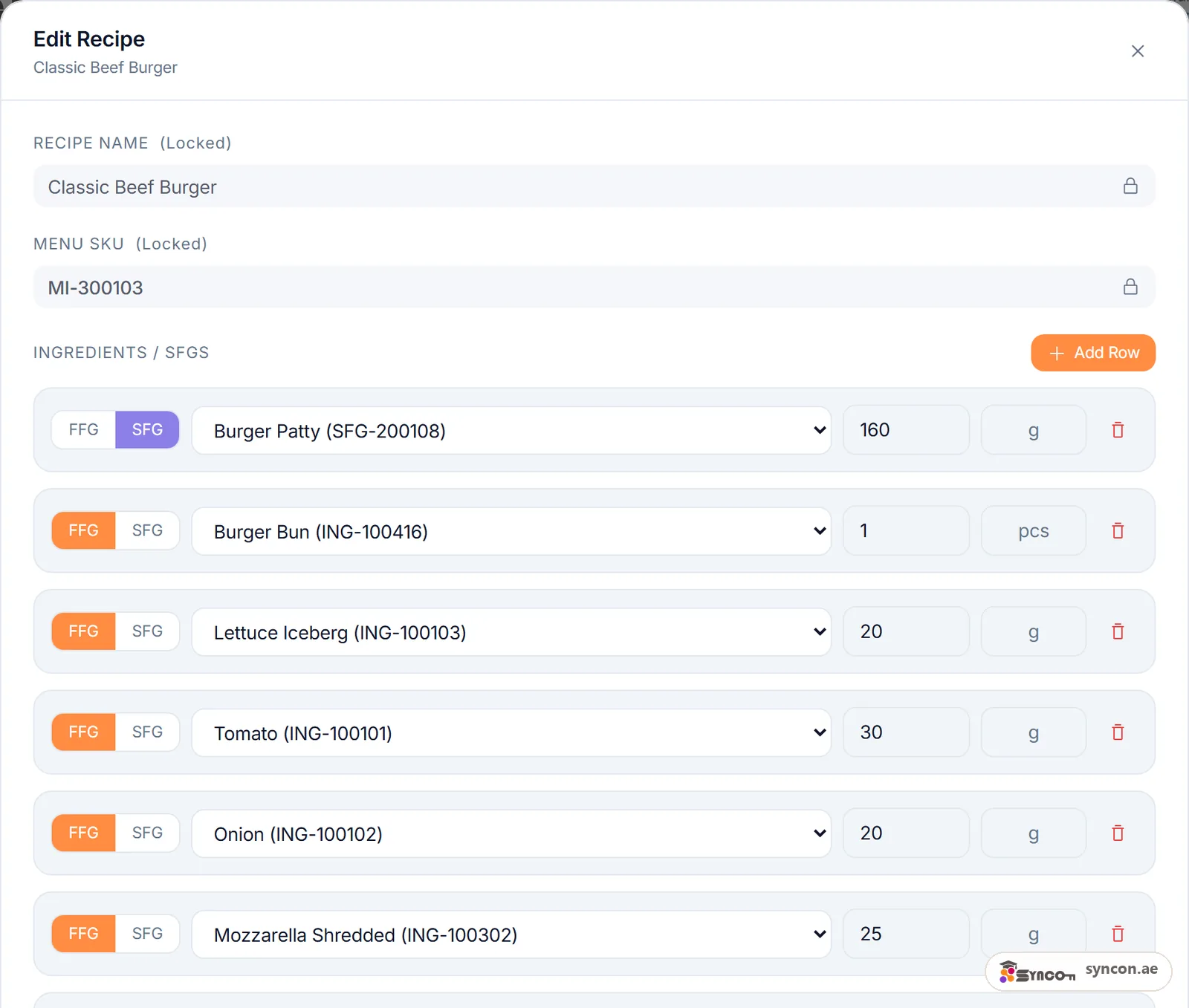
In the Classic Beef Burger record, the recipe name and the menu SKU are marked Locked so the dish keeps its identity when you edit its lines. Each row marks the item as FFG (finished food good, a bought-in ingredient used as is) or SFG (semi-finished good, a prep item made in the kitchen from its own recipe). The Burger Patty is set to SFG at 160 g, followed by 1 pcs of Burger Bun and 20 g of Lettuce Iceberg. Below that sit 30 g of Tomato, 20 g of Onion and 25 g of Mozzarella Shredded. A manager can add a row or adjust a gram weight here, and every station sees the updated build right away.
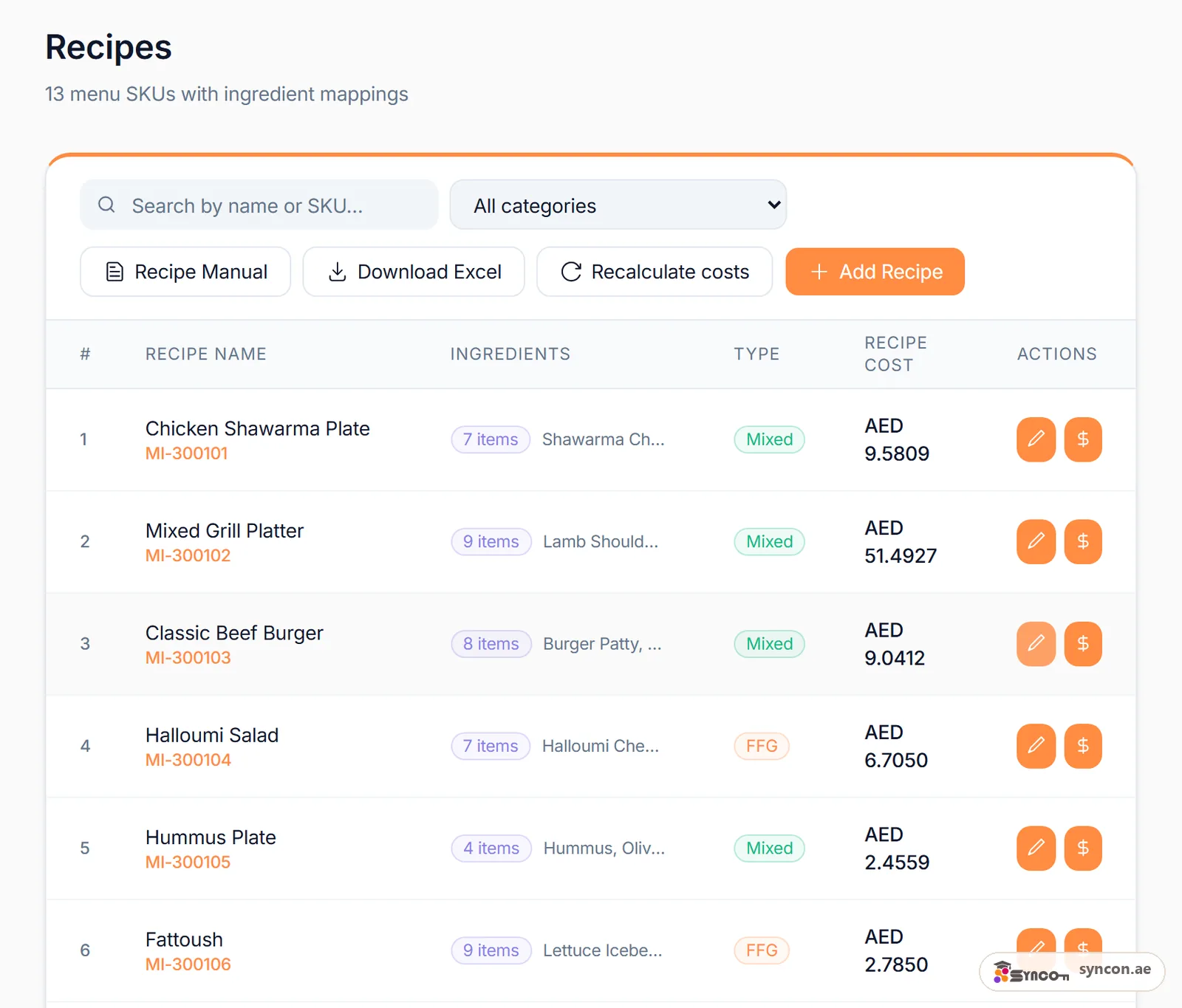
The Recipes screen shows the full book of 13 menu SKUs with ingredient mappings alongside the Type and Recipe Cost for each dish. Dishes marked FFG use only bought-in ingredients, while dishes marked Mixed combine bought-in items with kitchen prep items. Comparing three plates on the list shows how ingredient counts and proteins shape the cost:
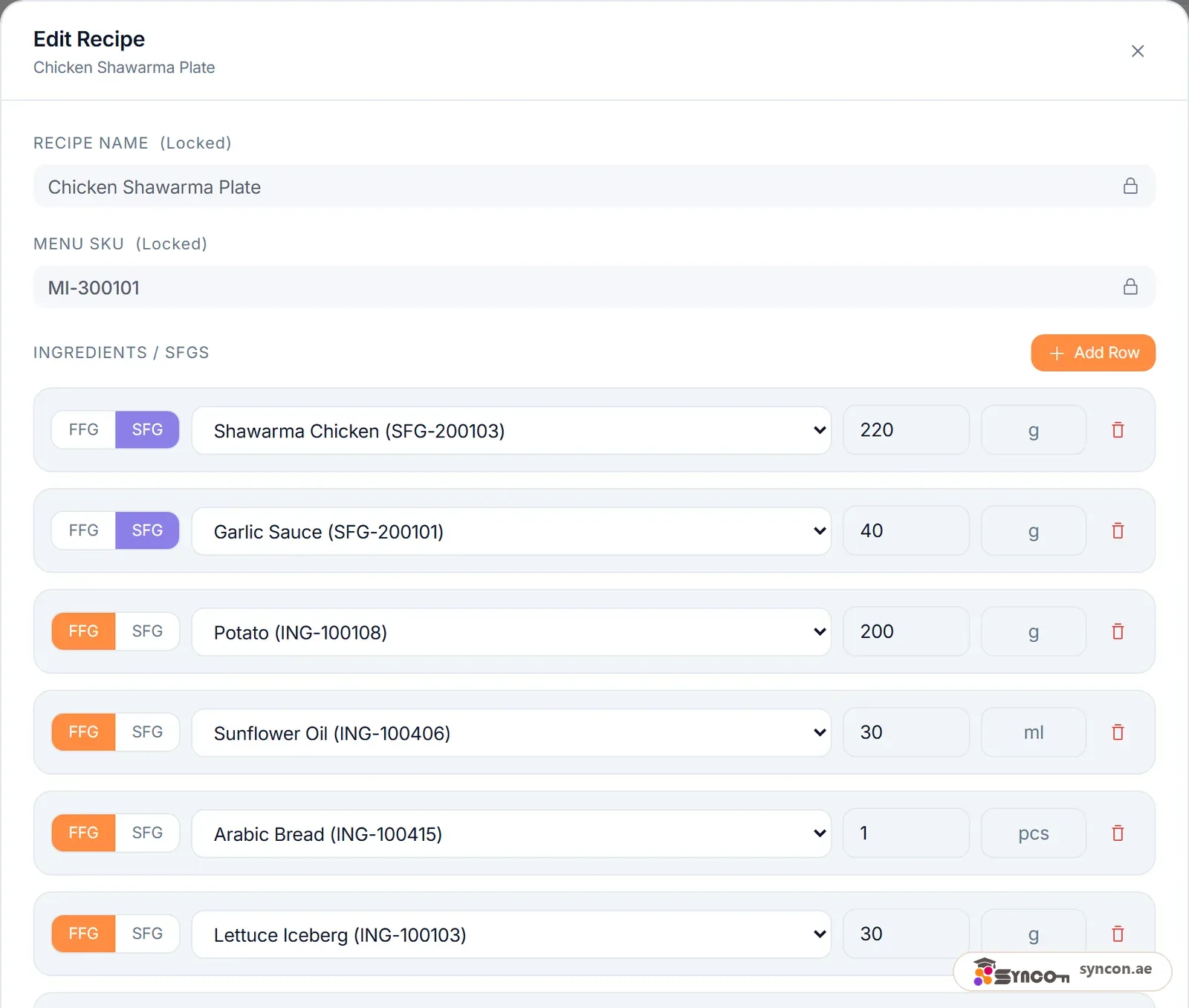
- Chicken Shawarma Plate: 7 items, Mixed type, costing AED 9.58.
- Classic Beef Burger: 8 items, Mixed type, costing AED 9.04 (AED 0.54 less than the shawarma plate).
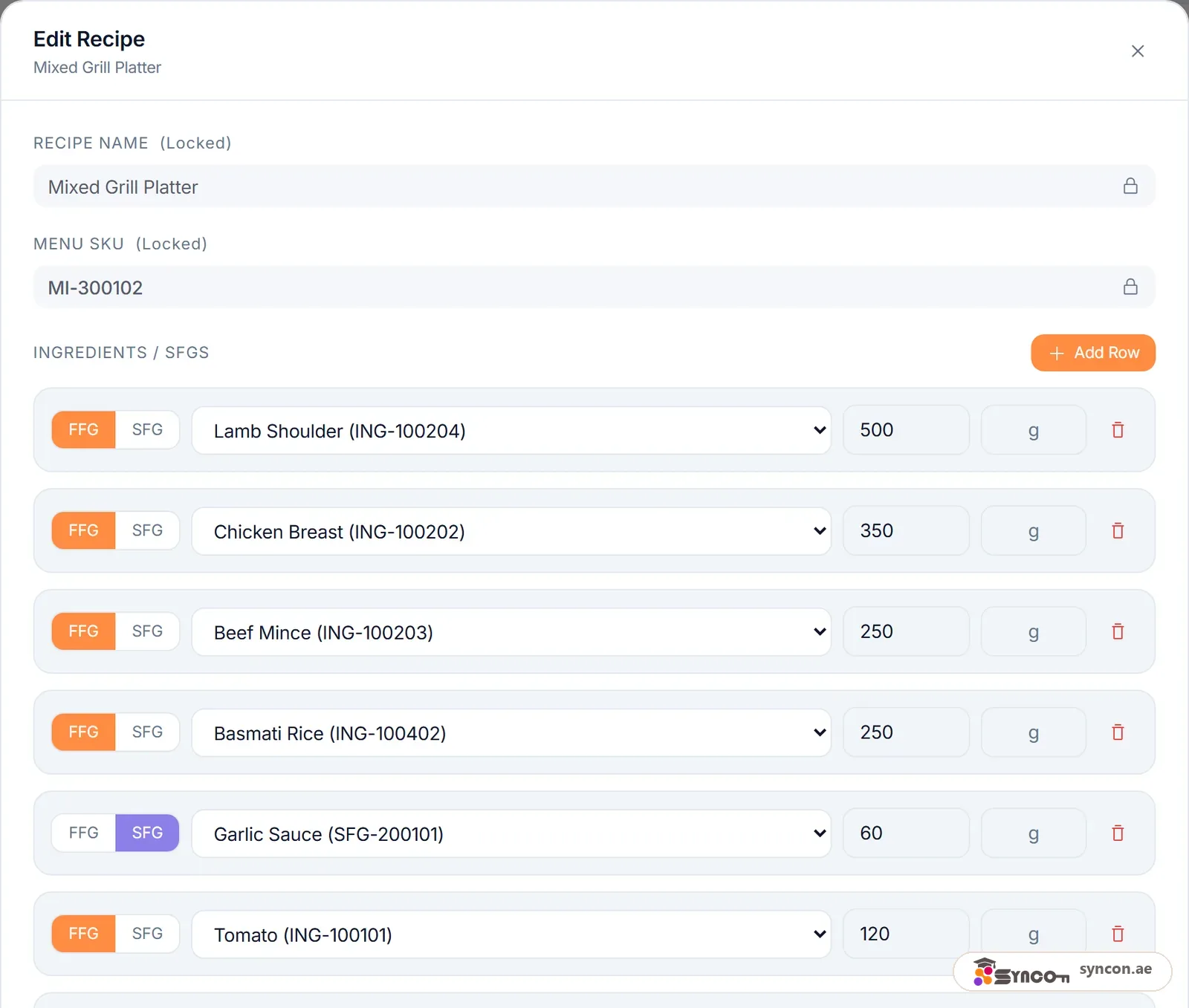
- Mixed Grill Platter: 9 items including lamb shoulder, chicken breast and beef mince, Mixed type, costing AED 51.49.
Further down the list, the Halloumi Salad (7 items, FFG) costs AED 6.71, while the Hummus Plate (4 items, Mixed) costs AED 2.46 and Fattoush (9 items, FFG) costs AED 2.79. At the top of the screen, a manager can open the Recipe Manual, download an Excel copy, click Recalculate costs after an edit, or click Add Recipe to build the next dish.
Learn the full method in الوصفات والتكلفة والتشغيل اليومي.
The screens above are from
Restaurant operating systemsyncon.ae/portfolio/operating-system(opens in a new tab)