Batch recipes: re-weigh the yield, keep cost true
Batch recipes only give a true cost when the yield is real. Re-weigh a sauce or marinade batch on a routine, and update the recipe when it drifts.
SyncOn team · 1 Nov 2026 · 4 min read
The marinated chicken was written into the system a year ago, and nobody has weighed a finished tray since. The cook now trims the thighs a little closer, the oven runs hotter, and the tray comes out lighter than it used to. Your batch recipes still hold the old output number, so every plate that uses that chicken is costed on a yield the kitchen no longer gets. Before you change a menu price, put the finished tray on the scale.
In short
- Weigh the finished batch after cooking, cooling and trimming to see what really comes out.
- Re-weigh three batches on a regular schedule or whenever a supplier, cut or oven changes.
- Update the batch output in the recipe so every dish using that prep carries the true cost.
Why the yield matters
The yield of a batch sets the cost of every gram that goes onto a plate. A batch recipe is a recipe for something you make once and use across many dishes: a sauce, a dough, a marinade or cooked meat. On one side are the ingredients you put in. On the other is the yield, also called the batch output: the finished weight that comes out of the pan or mixer and goes into your storage containers.
The cost of each gram you serve equals the total cost of everything you put in, divided by the grams that come out. When the batch output written in your recipe is higher than what the pan actually gives you, every gram on the plate looks cheaper than it really is. When the recorded output is lower than the real pan weight, every gram looks dearer. Either way, the plate cost is wrong, and every margin built on that number is wrong too.
Raw weight never equals finished weight in a working kitchen. Meat loses water and fat in the oven, sauces reduce on the stove, and dough picks up water in the mixer. If you do not yet write sauces and marinades with a weighed output, start with recipe yield to cost your sauces and prep by the gram. Once those recipes are in place, the kitchen prep list tells cooks how much to make before service, which makes an honest yield even more important.
What good practice looks like
A monthly weighing routine with a scale and a notebook keeps your batch numbers honest.
- Weigh the finished batch. After cooking, cooling and trimming, weigh what actually goes into the containers and write it down in the unit the recipe uses.
- Take the middle number from three separate batches so one unusual day does not skew your costing.
- Re-weigh when the kitchen changes. Put the tray back on the scale whenever you switch to a new supplier, a different meat cut, a new oven or a new cook on the station, and check your three biggest batches on the first Sunday of each month.
- Update the batch output in the recipe as soon as you see a new weight, then check whether the change came from a deliberate cooking decision or a slow drift in kitchen habits.
- Check the dishes that use that batch, starting with the plates that have the thinnest margin. Our guide on how supplier price increases reach every dish follows the same re-costing steps.
A lighter tray is a system problem where the recipe fell behind the real method on the line, so the fix is an updated number in the recipe.
How this looks in SyncOn
The SFG Recipes screen shows every sauce, dough and prep batch in the kitchen along with its ingredients and batch output.
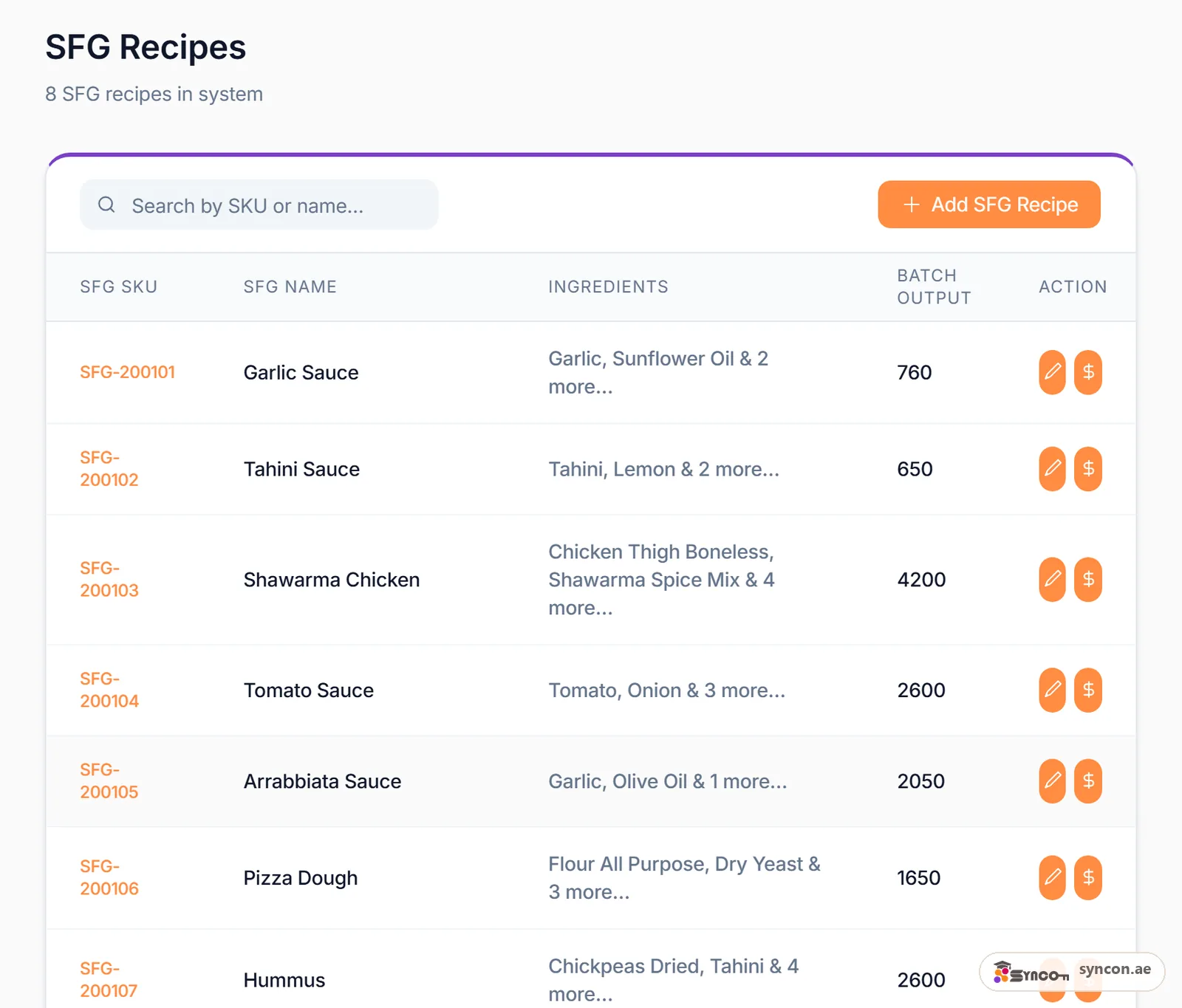
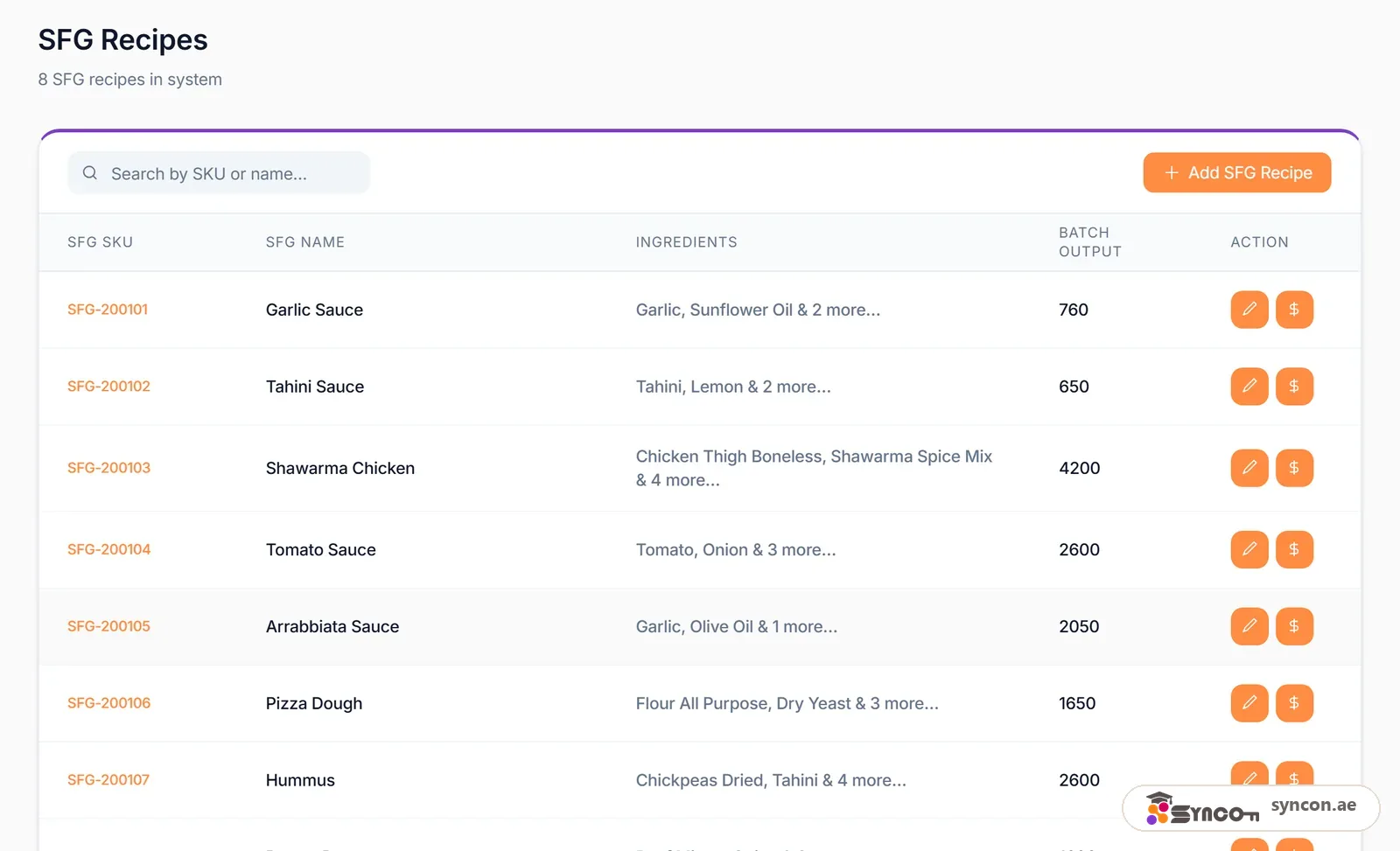
The screen lists 8 SFG recipes in the system. SFG is the app's label for a semi-finished good, which means a batch recipe made in-house and used inside other dishes. Each row shows the item's code, its name, a short summary of its ingredients, and a Batch Output column that sets the cost per gram for every portion taken from that batch:
- Garlic Sauce: 760
- Tahini Sauce: 650
- Shawarma Chicken: 4200
- Tomato Sauce: 2600
- Arrabbiata Sauce: 2050
- Pizza Dough: 1650
- Hummus: 2600
Clicking the edit icon on the Shawarma Chicken row opens the Edit SFG Recipe screen.
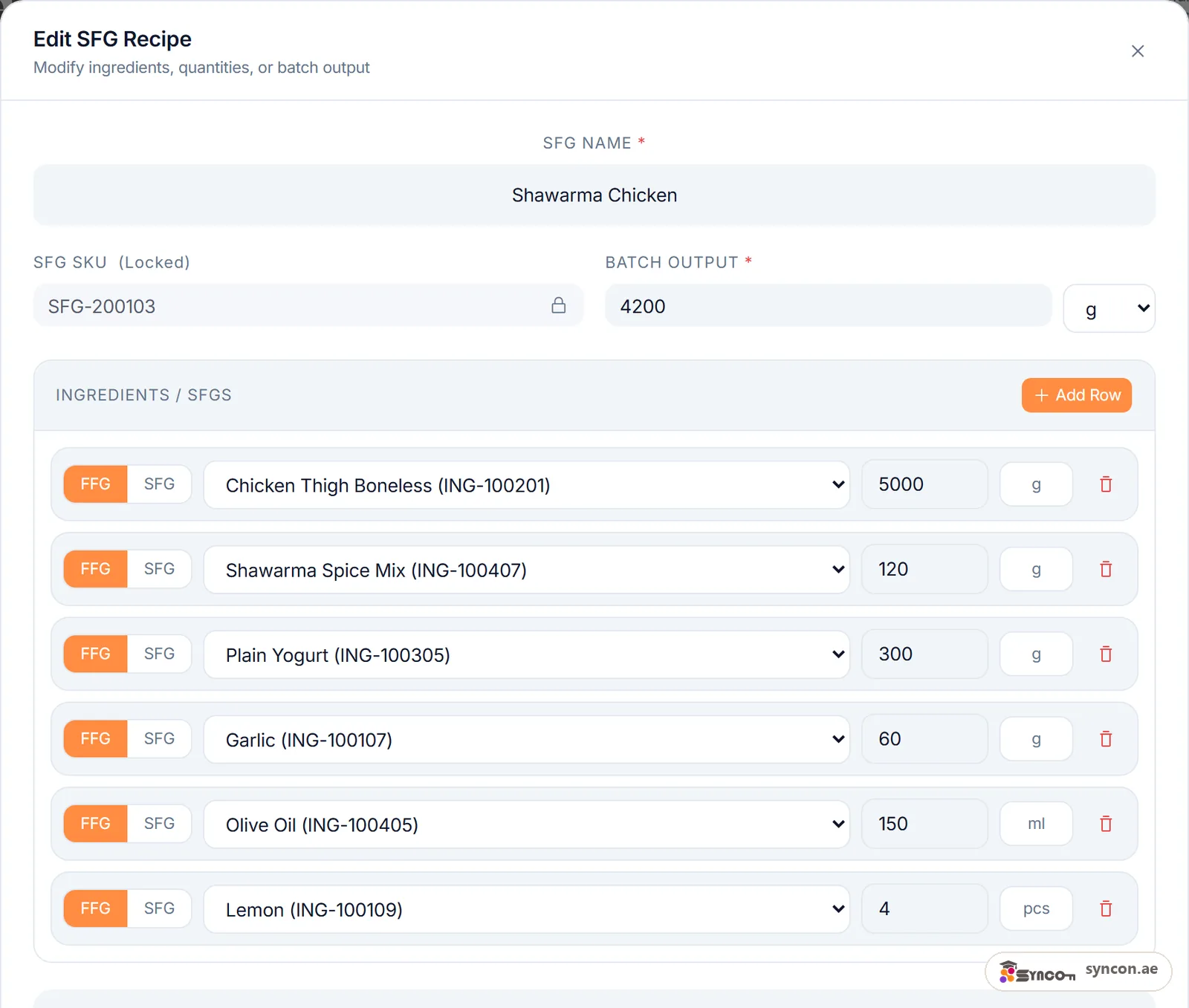
The Shawarma Chicken recipe puts in 5000 g of Chicken Thigh Boneless, 120 g of Shawarma Spice Mix, 300 g of Plain Yogurt, 60 g of Garlic, 150 ml of Olive Oil and 4 pcs of Lemon. The Batch Output box at the top shows 4200 g. Set the raw chicken weight beside the finished output: 5000 g of boneless chicken thigh goes in, and 4200 g of cooked shawarma chicken comes out. That 800 g difference is the cooking loss, meaning the finished batch gives back 84% of the raw chicken weight (4200 of 5000).
That 800 g cooking loss belongs in the recipe record so every shawarma plate carries the true cost of the meat. When the head chef weighs the next three trays and finds a new finished weight, you type the new figure into the Batch Output box on this screen, and every dish using Shawarma Chicken updates right away.
Learn the full method in الوصفات والتكلفة والتشغيل اليومي.
The screens above are from
Restaurant operating systemsyncon.ae/portfolio/operating-system(opens in a new tab)