Restaurant branch manager responsibilities
Set clear restaurant branch manager responsibilities with one named owner per branch, written duties, and system access matched to the job.
SyncOn team · 6 Nov 2026 · 4 min read
It is 4 pm and the chicken delivery at Marina Express is short. The cook says the manager is off today. The cover says it is the area manager's call, while the area manager thinks the branch lead already handled it. Nobody is lazy here, because nobody was ever told that the task was theirs. Restaurant branch manager responsibilities that live only in people's heads leave this exact gap, turning a missing box of chicken into a late order, a wrong count or a decision made twice.
In short
- Name one responsible manager for every branch and write their daily duties on a single sheet.
- List which decisions the branch manager makes alone and which ones must go to the owner.
- Match each person's system role and branch access to their written duties.
Why unwritten duties cost a branch money
Unwritten duties cost a branch money because daily problems wait until the owner notices them. Waiting until month-end to see which branch let deliveries or prep slip is too late to protect your margin. A short chicken delivery is only one of the questions a kitchen raises in a day, and each question needs one named person who answers for it.
When two people think the other is checking the invoice or counting the line, small gaps turn into system leakage. A branch with a clear owner catches a short delivery at the back door and fixes the prep list before the evening rush. A branch without an owner lets the problem pass from shift to shift while the kitchen loses time and food.
What good practice looks like
Good practice starts by putting one name next to each branch and writing down what that person owns before you touch any software.
Start with one name per branch. Every location needs one manager who answers for its daily results. A second person can cover on days off, but one person owns the branch. When two people share the title without clear lines, neither one owns the outcome.
Next, write the daily and weekly duties in plain lines on one page. A branch manager checks each delivery against the purchase order, signs off the morning prep list, keeps cooks to the weighed recipes, and sends the weekly branch numbers on the same day each week.
Draw a clear line between what the manager decides alone and what goes up to the owner. Moving a shift or chasing a late driver is the branch manager's call. Changing a supplier, altering a recipe or changing a dish price is not.
Match system access to those written duties, and update both on the day a job changes. A branch manager needs to see and act on their own branch, not every other location in the group. Our guide to user roles and permissions shows how to give each person only what their job requires. Keep the person who approves orders separate from the person who pays invoices, as explained in segregation of duties in a restaurant. If your group runs a central kitchen that supplies the outlets, give that kitchen its own named manager too; you can see how the main kitchen and outlets fit together in the hub and spoke model.
How this looks in SyncOn
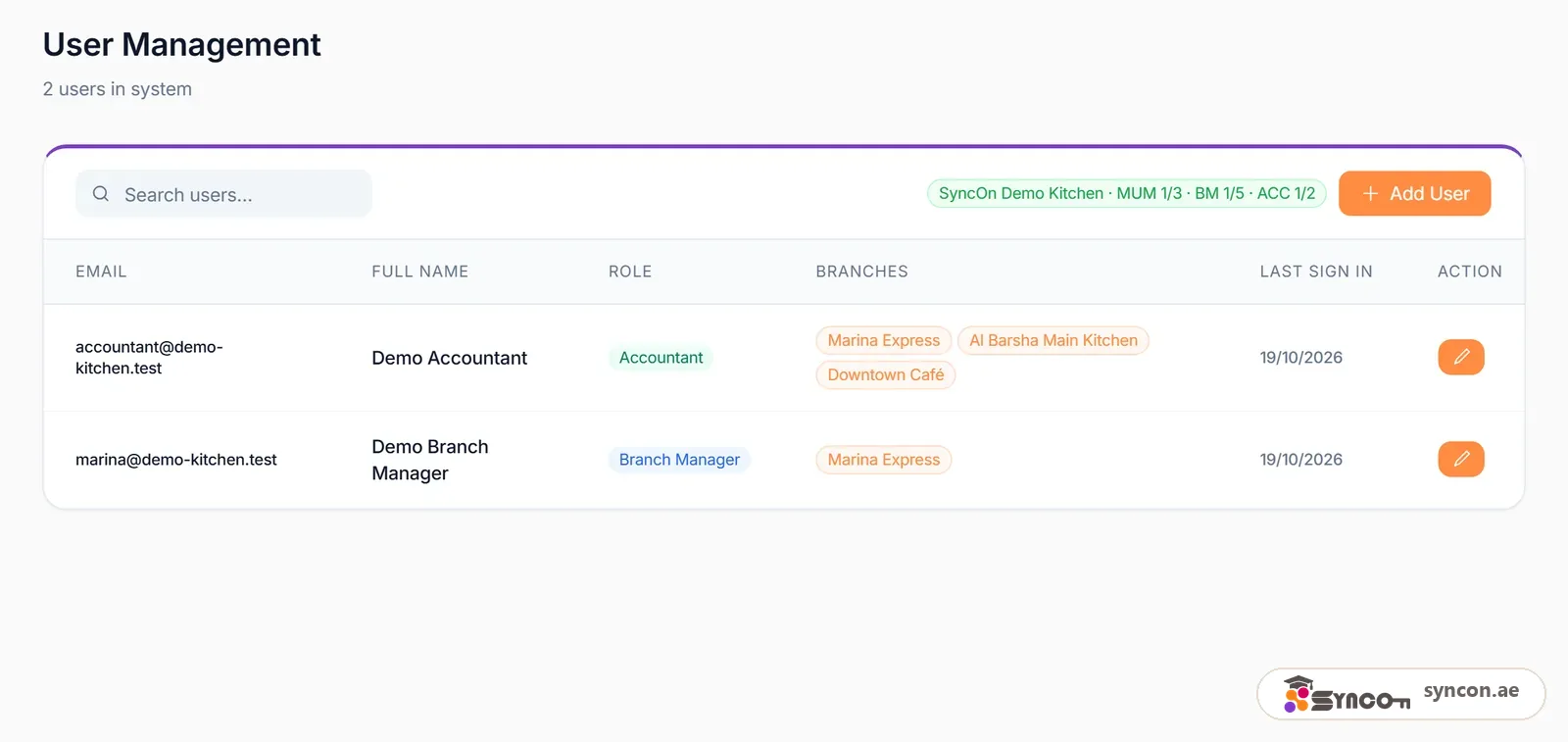
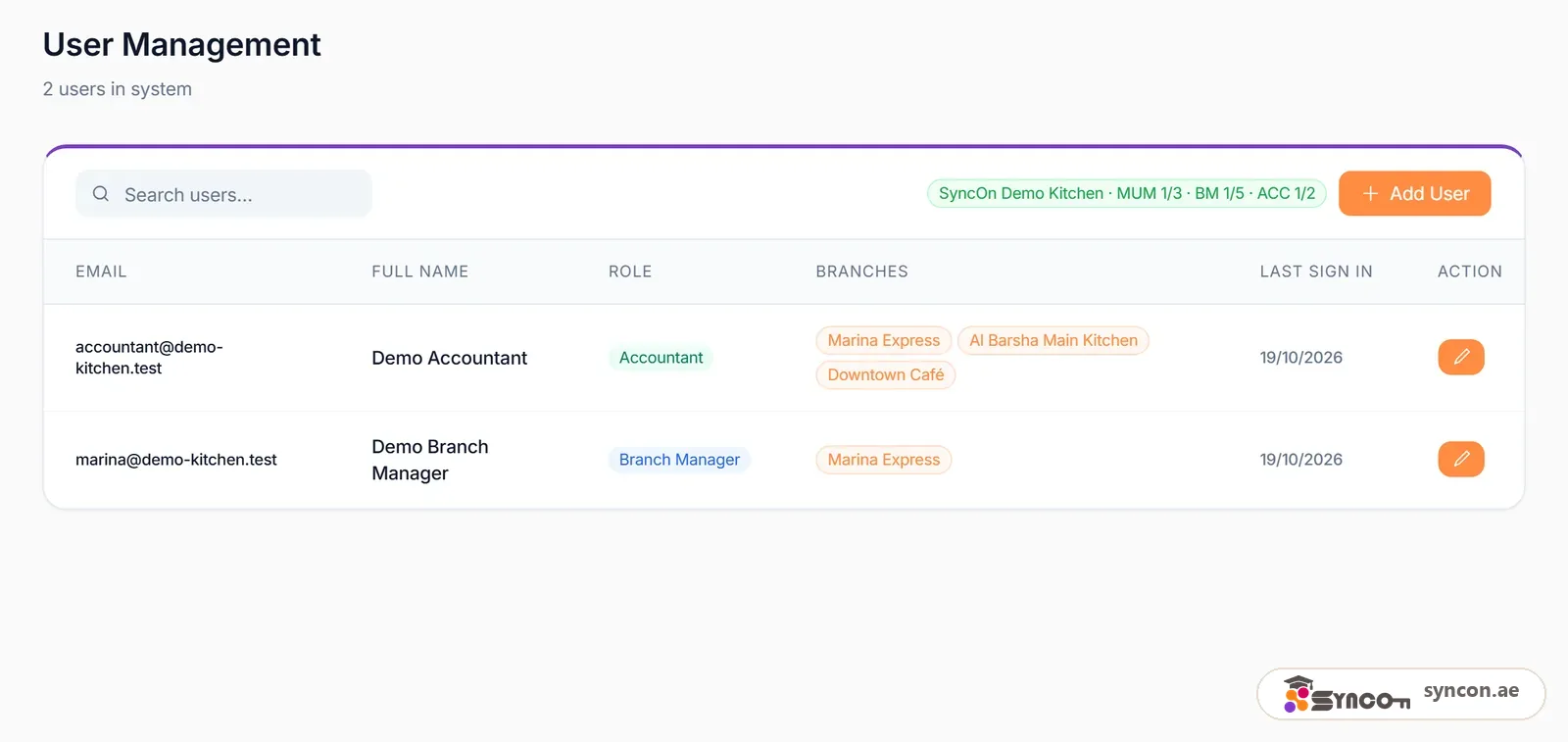
The User Management screen shows every user in the system with their email, full name, role, assigned branches, last sign-in date and an Action column.
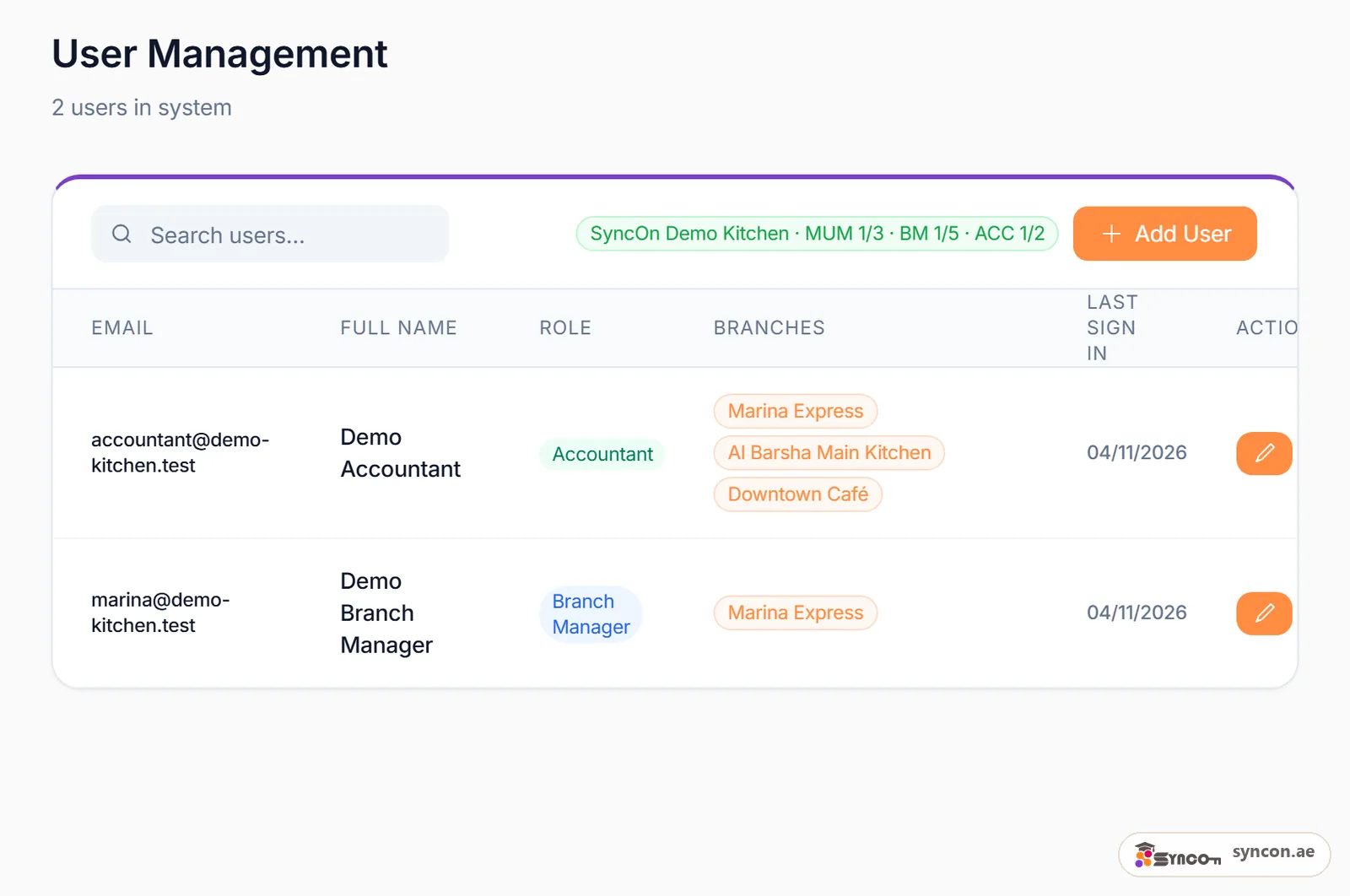
The screen lists 2 users in system and shows how written duties translate into daily access. Each column label has a plain job: Role names what the person does in the company, Branches lists the exact locations they can open, Last Sign In shows the date they last entered the app, and Action holds the button to edit that user.
Look first at Demo Branch Manager (`marina@demo-kitchen.test`). Their Role is Branch Manager and their Branches column holds only 1 location: Marina Express. That puts the one-owner rule into practice. If a delivery is short at Marina Express, there is no question about whose branch it is.
Now compare that row with Demo Accountant (`accountant@demo-kitchen.test`). Their Role is Accountant and their Branches column lists 3 locations: Marina Express, Al Barsha Main Kitchen and Downtown Café. An accountant checking invoices across the group has a different job from a manager running 1 kitchen, so the role and the branch list differ too. Above the table, the summary bar reads `SyncOn Demo Kitchen · MUM 1/3 · BM 1/5 · ACC 1/2`, tracking the seats used in each role.
Two checks on this screen belong in your weekly routine. First, read down the Branches column and make sure every open location has a Branch Manager assigned to it; in this demo view, Al Barsha Main Kitchen and Downtown Café are attached to the accountant but do not yet have a branch manager row, which tells the owner to use Add User to assign their managers. Second, check the Last Sign In column, where both users show `04/11/2026`. If a manager's date falls weeks behind, or if someone changes branch, use the Action column to update their branches and role so the screen matches your written sheet.
Learn the full method in أساسيات البرنامج وتجهيز مطعمك.
The screens above are from
Restaurant operating systemsyncon.ae/portfolio/operating-system(opens in a new tab)